
A MailStore Alternative for Mac: MailVault
If you have searched for email archiving software, you have probably found MailStore Home. It is one of the most popular tools for archiving emails locally on Windows. The problem is that MailStore Home runs only on Windows 10 and 11, with no Mac version. If you are on macOS (or Linux), you need an alternative.
MailVault is a free email app for macOS, Windows and Linux that archives your mail to your own disk. It keeps a copy of Gmail, Microsoft 365, Outlook.com and IMAP mail on your Mac (Intel or Apple Silicon), stores it in standard open formats, and the core app costs nothing.
This page is about the Mac. For a head-to-head with the Windows edition, read MailVault vs MailStore Home. If you need an archive for a whole company, see MailStore Server alternatives, and for every option side by side, MailStore alternatives compared.
MailStore: What It Does Well
MailStore Home is a solid product for Windows users. To be fair about its strengths:
- Mature and well-tested — MailStore has been around since 2006. It handles edge cases well and supports a wide range of email providers.
- Full-text search — MailStore indexes archived emails for fast full-text search across your entire archive.
- Multiple source types — Beyond IMAP, MailStore can archive from Outlook PST files, Exchange servers, and other local email clients.
- Enterprise version — MailStore Server is designed for organizations that need centralized email archiving with compliance features, audit trails, and retention policies.
MailStore Server is aimed at small and medium-sized businesses and runs on Windows and Windows Server. For personal use on a Mac, neither edition is an option.
MailStore vs MailVault: Side-by-Side
| Feature | MailStore Home | MailVault |
|---|---|---|
| Platform | Windows 10 and 11 | macOS 11 or later, Windows, Linux |
| Price | Free (Home edition, private use) | Free; optional Premium $4/month or $25/year (early-access price) |
| Source code | Proprietary | Source live on GitHub |
| Storage format | Its own archive files; export to EML or MSG | Standard .eml files (Maildir) |
| Accounts | IMAP and POP3, Gmail, Outlook.com, Exchange Server | IMAP, Gmail, Microsoft 365, Outlook.com (Microsoft Graph) |
| PST/Exchange import | Yes | No PST; MBOX import instead |
| Enterprise/compliance | Yes (Server edition, paid) | No |
Last checked: October 2026, on mailstore.com and help.mailstore.com.
For a full row-by-row comparison, including search, delete rules and sources, see MailVault vs MailStore Home.
Where MailVault Wins
It runs on Mac. This is the most obvious difference. If you use macOS, MailStore is not an option. MailVault runs natively on macOS (Intel and Apple Silicon) and Linux. There is no Wine, no virtual machine, no workaround required.
Open standard storage. MailStore keeps your archived emails in its own archive files, and you export them to get EML or MSG files out. If MailStore stops being developed, accessing those emails becomes harder. MailVault stores every email as a standard .eml file, the RFC 5322 format that other email clients can open. Your archive is just a folder of files. You can open them in Apple Mail, Thunderbird, or any text editor.
These file-layout instructions use the default Maildir format. Settings → Storage also offers JMAP storage, which keeps original message bytes with JSON records and deduplicates identical messages.
Source live on GitHub. MailVault's source is live on GitHub. You can read it and check what it does with your mail. For something that handles your personal emails, knowing exactly what the software does matters.
It is also an email client. MailStore is purely an archiving tool — you archive emails, then use a separate client to read them. MailVault is both: you can read, search, compose, reply, and forward emails directly in the app, and archive them to your local disk when you want to keep them permanently.
Local search, offline. MailVault builds a full-text index of the mail on your Mac and searches it without a connection. You can narrow by sender, date, folder or tag. In our published search test, the slowest search across 50,000 messages took 14 milliseconds.
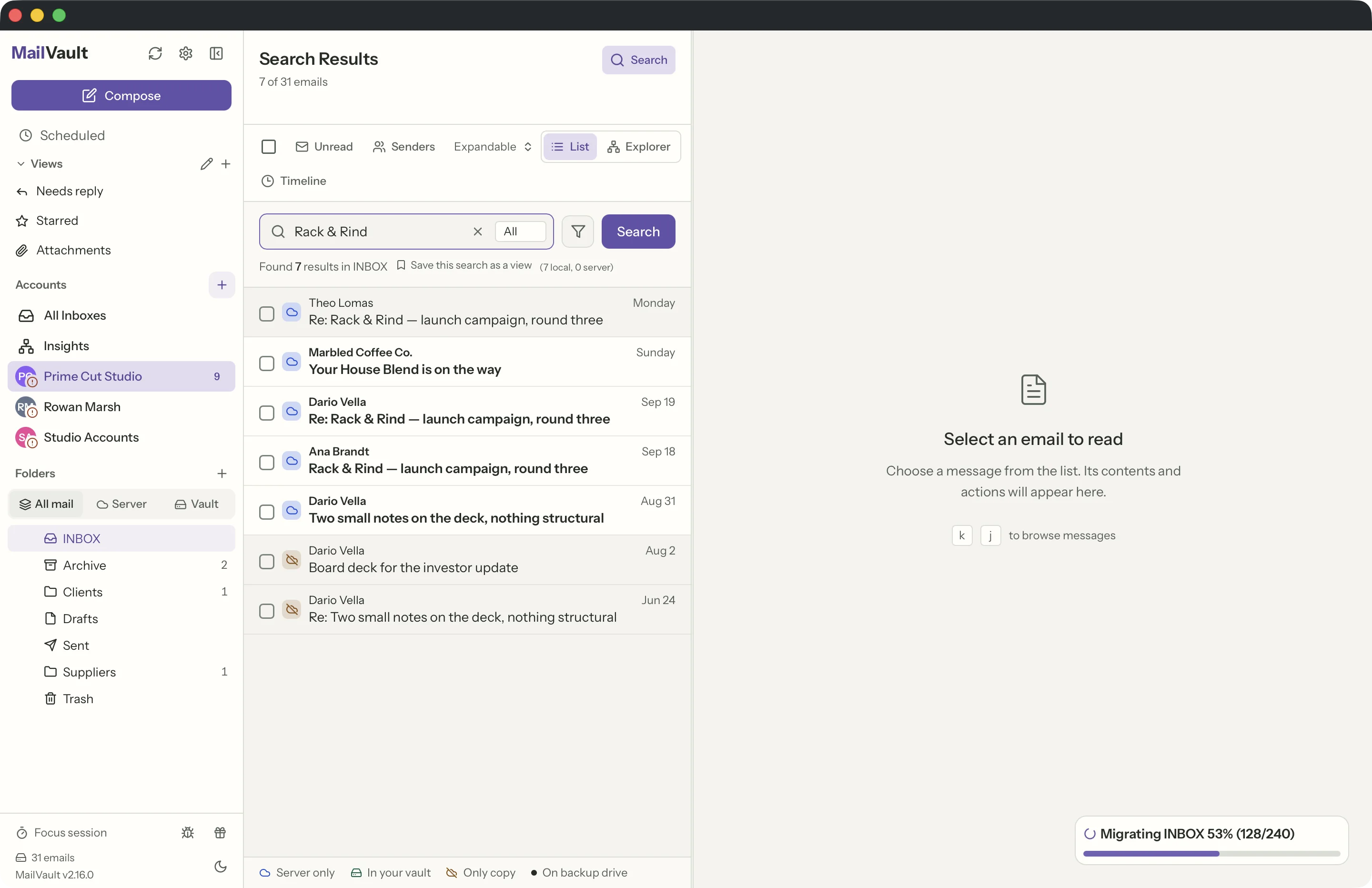
How much stays on your Mac. By default MailVault keeps the last few months of mail on your computer, and you can choose 1, 3, 6 or 12 months. Mail you archive and your backups are never removed by that setting. Hoarder (Premium) keeps every folder and all history.
Archive, then delete, with a check. Archiving a message and deleting it from the server are free as separate steps. Archive & Delete (Premium) does both at once: it copies each message into your vault, checks the copy, and only then deletes it from the server.
Where MailStore Wins
Being honest about the differences:
- Attachment search for free: MailStore Home indexes attachments as well as messages at no cost. MailVault also has a local full-text index, but searching inside PDF and Office attachments is Premium.
- PST and Exchange import: if you have Outlook PST files or need to archive from an Exchange server directly, MailStore supports these sources. MailVault connects over IMAP or Microsoft Graph and imports MBOX files, but it cannot read PST files.
- Enterprise compliance: MailStore Server (the paid edition) offers centralized archiving, retention policies, audit trails, and legal hold features that organizations need for compliance. MailVault is designed for personal and small business use, not enterprise compliance.
- Maturity: MailStore has been on the market since 2006, about 20 years. It has handled more edge cases, more email providers, and more user scenarios than MailVault has seen yet.
Who Should Use MailVault Instead?
MailVault is the right choice if:
- You use macOS or Linux and need local email archiving.
- You want your archived emails in standard, open formats (not a proprietary database).
- You prefer free software whose source code you can read.
- You want an app that is both an email client and an archiver — read, send, and archive in one place.
- You are a freelancer, consultant, or small business owner who needs a personal email archive without enterprise complexity.
- You want to free up email storage by archiving locally and deleting from the server.
If you need compliance features for a company, read MailStore Server alternatives. If your old mail is in PST files, MailStore Home on Windows can read them. For personal email archiving on a Mac, MailVault does the job, and the core app is free.
Other Alternatives
For completeness, here are other options Mac users sometimes consider:
- Apple Mail + local folders: you can drag emails into local mailboxes in Apple Mail, and Mailbox > Export Mailbox saves them in mbox format. There is no step that checks a local copy before you delete from the server, and no Maildir export.
- Thunderbird: free and cross-platform. Its Archive button can move mail into Local Folders on your Mac, and the ImportExportTools NG add-on exports EML, mbox or PDF. Archiving is manual, and its local storage uses one mbox file per folder by default. See MailVault vs Thunderbird.
- Google Takeout / provider export: a one-time bulk export to .mbox files. On its own it is not searchable or incremental, and .mbox is a single-file format. MailVault can import a Takeout .mbox file into your vault.
- Mail Archiver X: a paid Mac app from Moth Software that archives Apple Mail, Outlook, Thunderbird and IMAP accounts into its own database and exports to PDF or MBOX. It and other tools are in seven MailStore alternatives compared.
MailVault fills the gap: an email app with a local archive for Mac, Windows and Linux, with open formats and a free core app.
Try MailVault — free MailStore alternative for Mac
Archive Gmail, Outlook and IMAP mail locally as standard .eml files. Source live on GitHub, native macOS, Windows and Linux support, no account required.
Download MailVaultLearn more about how local IMAP archiving works, or see all MailVault features. Have questions? Check the FAQ.
Comparing more options? Read MailVault vs MailStore Home, MailStore Server alternatives and MailStore alternatives compared.