FAQ, documentation and articles
Connect your accounts, keep a local copy and find your way around MailVault. Guides, answers and articles in one place.
Nothing matches. Try a feature name, provider or task.
Find your task
| Topic | What you will learn |
|---|---|
| Getting Started | What MailVault is, which email providers it works with, what it runs on, and how it keeps your mail private. |
| Storage and Your Vault | Where MailVault keeps your mail, how Maildir and JMAP storage differ, and how to move or convert the vault. |
| Email Providers | Connect Gmail, Microsoft 365, Outlook.com, Proton Mail and JMAP servers such as Fastmail, and send from an alias. |
| Backup and Restore | How MailVault archives mail, what archiving then deleting does to the server copy, when automatic backups run, and how to export and re-import your vault. |
| Explorer and Insights | How MailVault Explorer groups a mailbox by date, sender or conversation, and what the Insights sender map, timeline and activity views show — both free, both built from mail already on your disk. |
| Scheduled Send | How MailVault Scheduled Send works: pick an exact date, time and time zone, let MailVault suggest the recipient’s zone, and manage scheduled emails. What is Premium and what stays free. |
| Free and Premium | What every MailVault user gets for free, and what MailVault Premium adds on top. |
| Your questions | Answers about free use, lifetime purchases and the future of your archive. |
| Troubleshooting | Fixes for the problems people hit most: the Gmail daily bandwidth cap, spellcheck underlining nothing on Linux, and a folder added on the server not showing up yet. |
Quick answers
- What is MailVault?
- Which email providers does MailVault work with?
- What are the system requirements?
- Can I change how the open email is highlighted?
- Can I change how MailVault looks and lays out?
- Is my data secure?
- Where is the address book?
- Where are my emails stored?
- How much of my mail stays on this computer?
- What are .eml files and Maildir? Why does it matter?
- Can I access my emails offline?
- How are attachments handled?
- Can I store my mail somewhere other than the default application folder?
- What is the external backup location (second copy)?
- Can I change the vault storage format?
- Does MailVault work with Gmail and Outlook?
- How do I connect my Outlook.com account?
- How do I use MailVault with Proton Mail?
- Can I send from a different address than the one I log in with?
- How do I send from an alias?
- How do I connect Fastmail or another JMAP account?
- How do I add an iCloud or Apple Account email address?
- How does MailVault back up emails?
- What happens when I archive an email?
- What happens when I archive and delete from server?
- What happens if I delete emails from the server?
- How do I archive and delete selected emails from the server?
- How do I archive and delete a whole account from Settings?
- Step by step: archive and delete from the server, with screenshots
- How does backup and restore work?
- Can I choose the hours automatic backups run?
- What is Explorer?
- Can I see everything one person ever sent me?
- What does “Date → Conversation” do?
- Does search still work in Explorer?
- What is Insights?
- What do the Timeline and Activity views show?
- Does Insights send my email anywhere?
- What is Scheduled Send?
- Can I schedule an email in someone else’s time zone?
- How does MailVault know the recipient’s time zone?
- How do I change, reschedule or cancel a scheduled email?
- Does MailVault have to be open for a scheduled email to go out?
- What happens to scheduled emails if my subscription ends?
- Is MailVault free?
- Can MailVault block email tracking pixels?
- Is Scheduled Send free?
- Can I use MailVault without a subscription?
- Do you offer a lifetime or one-time purchase?
- What happens to my emails if MailVault stops development?
- What are Gmail's bandwidth limits, and what happens when a backup hits them?
- Why is spellcheck not underlining anything on Linux?
- I added a folder on the server — how soon does MailVault show it?
- MailVault says "No internet connection", but my internet works. Why?
Practical guides
Articles
See it in MailVault
Video transcript
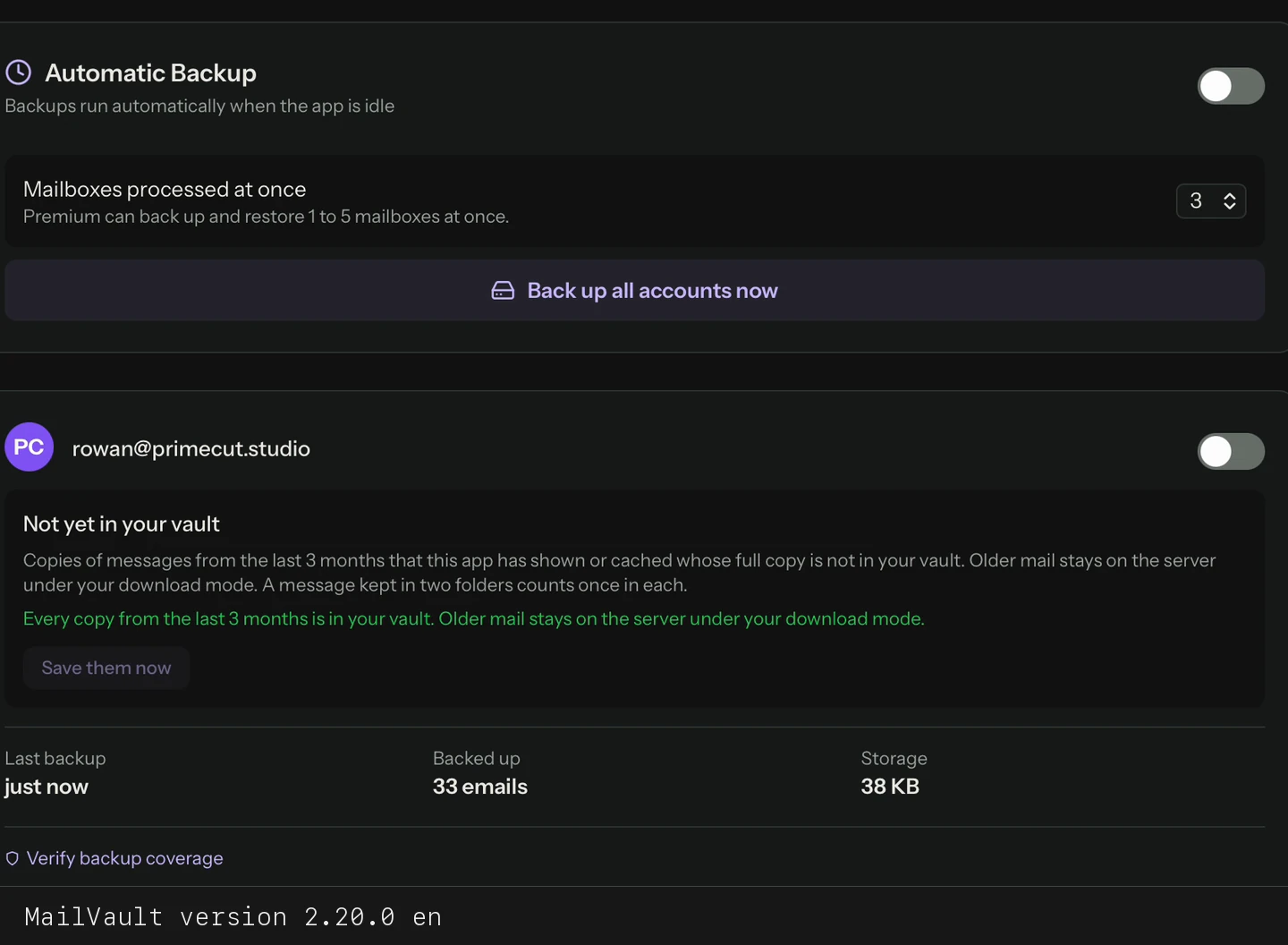
Select Back up all accounts in Backup settings. Watch backup progress until the run finishes.