Free forever
Early accessPremium from $25/yr Standard price after early access: $39/yr 36% offOnly 100 spots in total
Your email.
Yours to keep.
A fast, private email app that keeps your mail on your computer. Delete it from the server whenever you like: your copy stays.
Sent. Check your inbox on your computer.
Open it on your Mac, Windows or Linux computer.
A mobile app is coming soon. Until then, MailVault runs on your computer.
Free forever
The full app and unlimited manual backups. No account.
Premium · Early Bird & Family Pricing
What Premium adds →- Yearly
- $25/year
Standard price after early access: $3936% off- Monthly
- $4/month
Standard price after early access: $633% off
First 100 subscribers · up to 5 devices · 14-day free trial on yearly · your price stays the same while you stay subscribed.
- Yours to keepBack up and archive mail as plain .eml files on your computer. Delete it from the server and your copy stays.
- Every inboxGmail, Outlook.com, Microsoft 365, iCloud, Yahoo and any IMAP account.
- PrivateNo account with us, and your mail never passes through our servers. Trackers are flagged, and Premium strips them.
- Mac, Windows, LinuxOne app on all three. iPhone and Android apps are coming soon.
Free up your mailbox.
Keep every message.
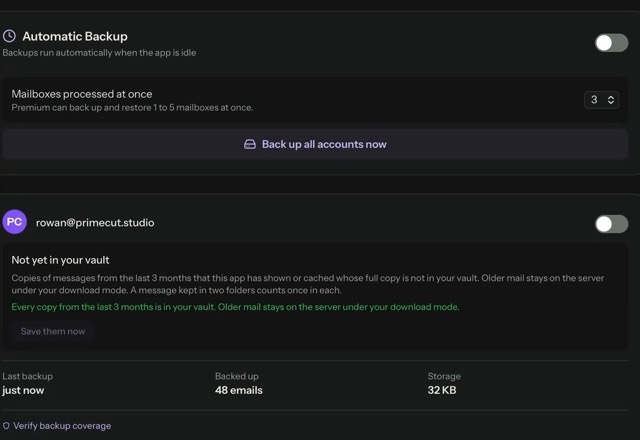
Save the mail you still need, let MailVault check each copy, then make room on the server. Your archive is plain .eml files that open in other mail apps, even if MailVault disappeared tomorrow.
Notion Mail is gone.
Your way of working isn't.
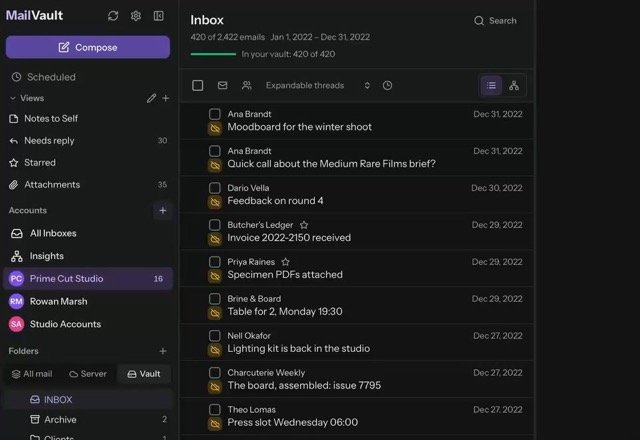
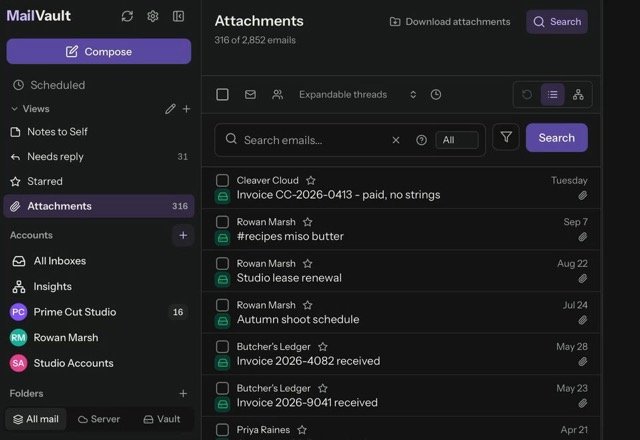
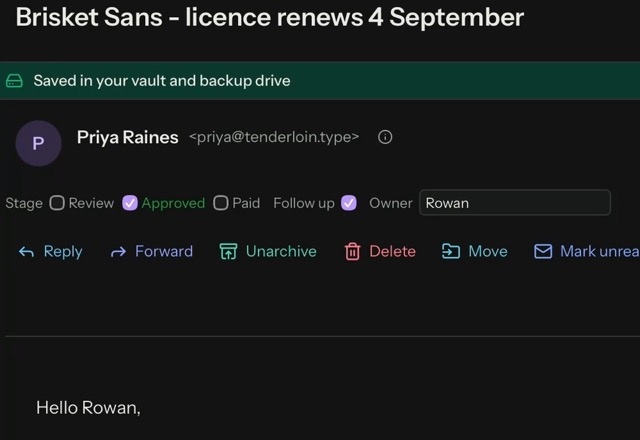
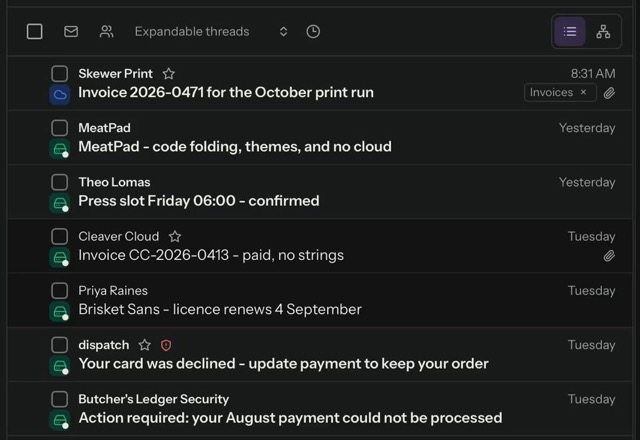
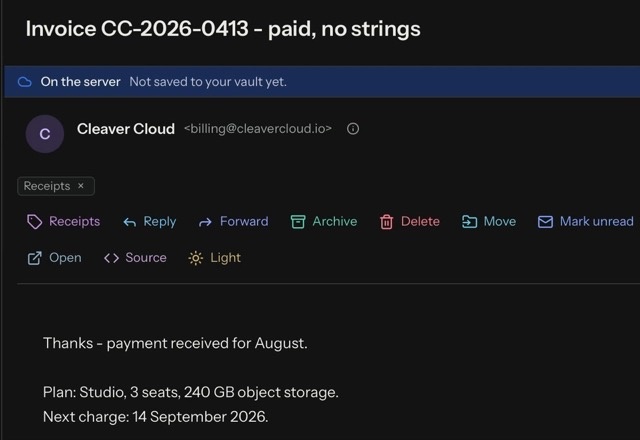
Notion Mail shut down on 22 September 2026. MailVault brings back inboxes built from your own views, fields on every message and rules that sort mail for you, with your Gmail account and your mail on your computer.
Your inbox is nobody's business.
Not even ours.
Your email goes straight from your provider to your computer. It never passes through MailVault servers, so there is nothing for us to read, sell or train AI on.
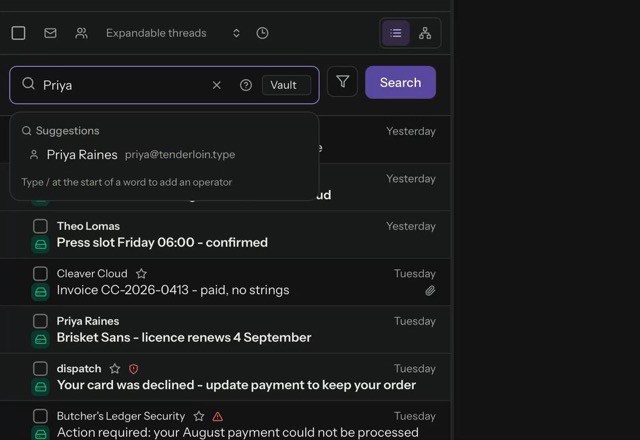
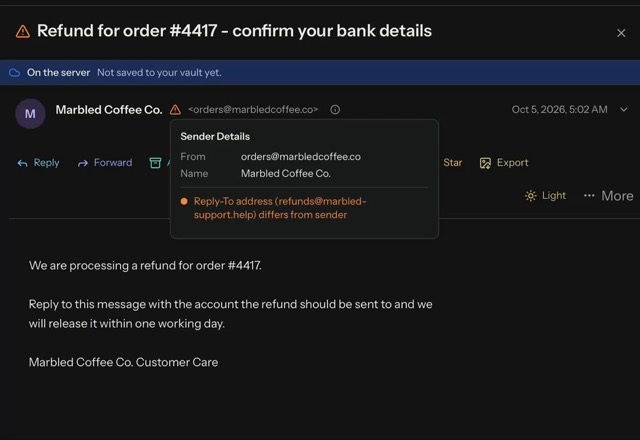
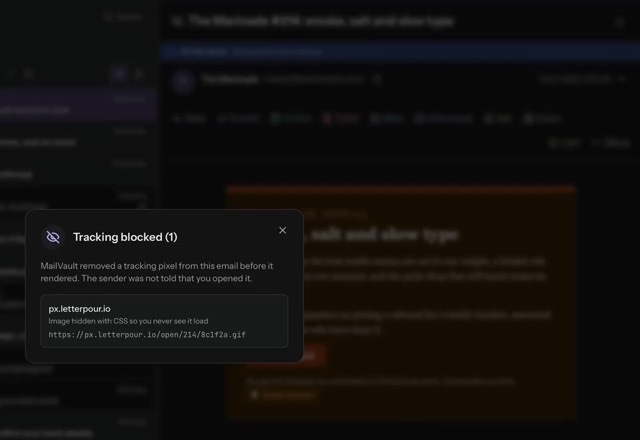
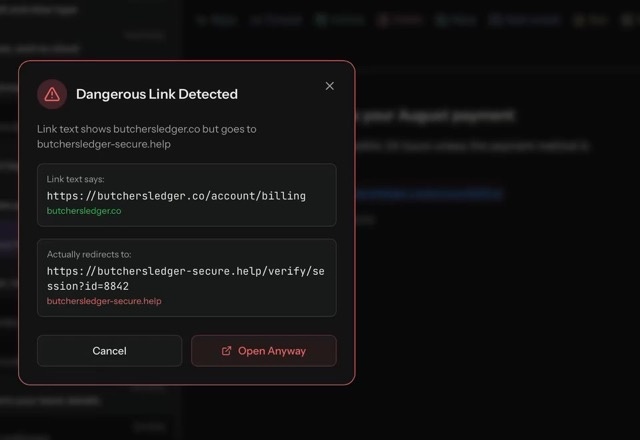
Read in private.
Senders learn nothing.
Marketing emails hide tiny images that report when and where you open them. MailVault finds them in every message and warns you about links that lie about where they go.
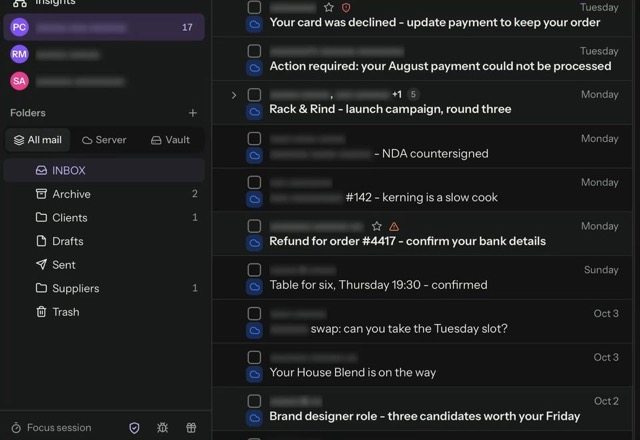
Email that fits the way you work.
Change almost anything.
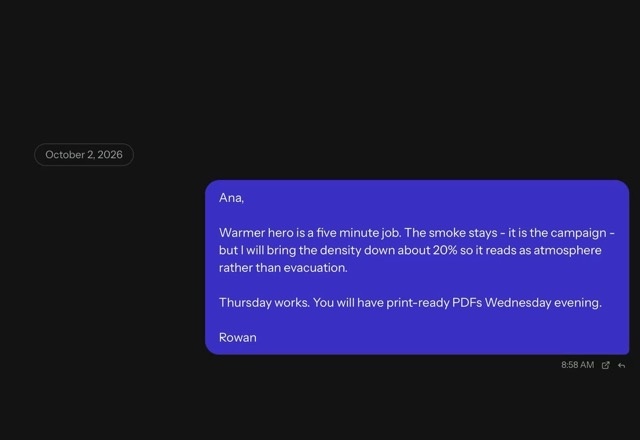
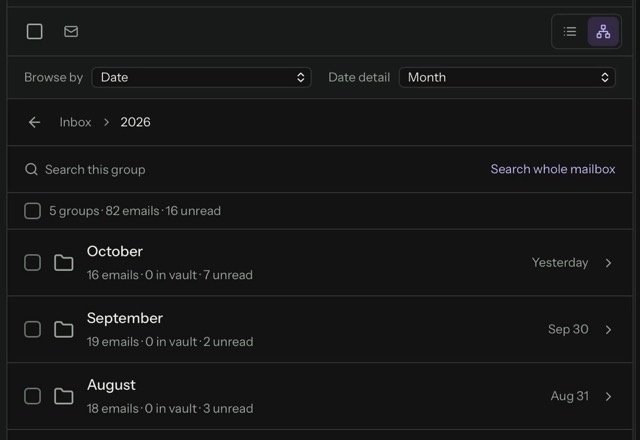
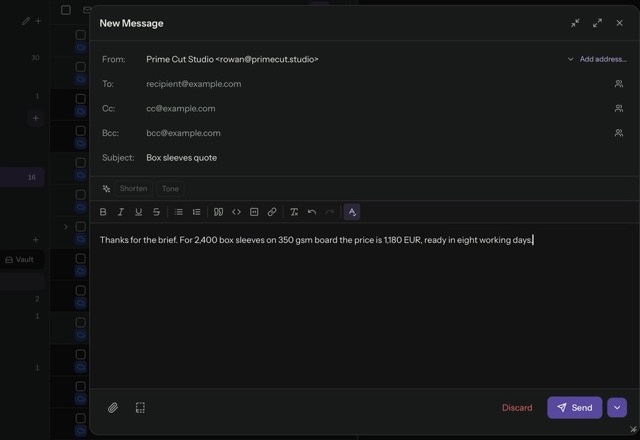
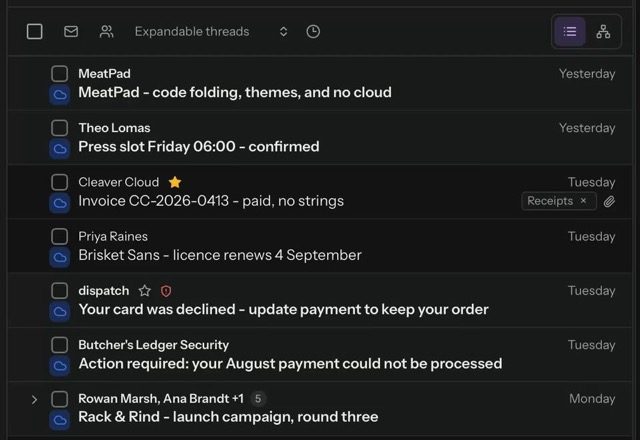
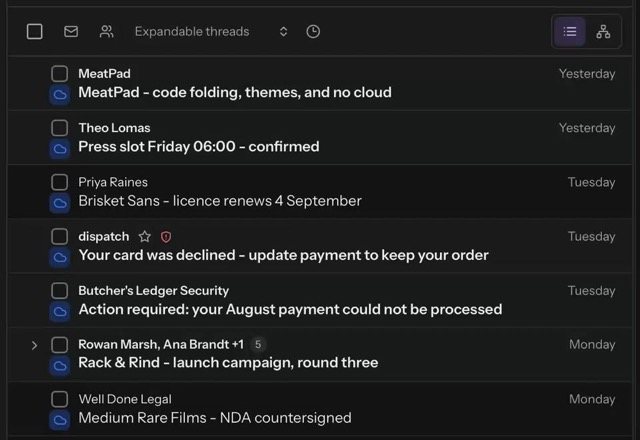
Threads, chat bubbles or a timeline, in two columns or three. Your shortcuts, your toolbar, your theme, changed whenever you like.
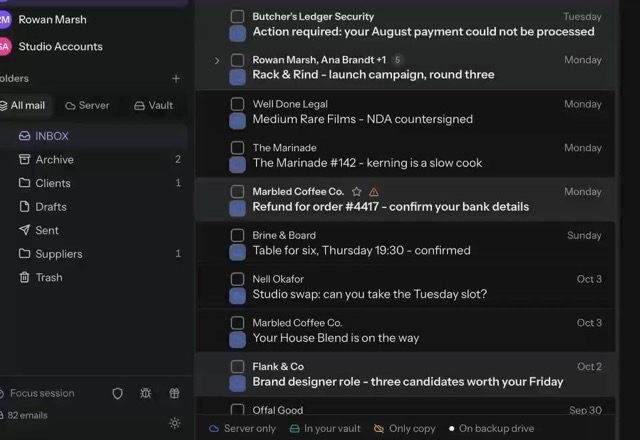
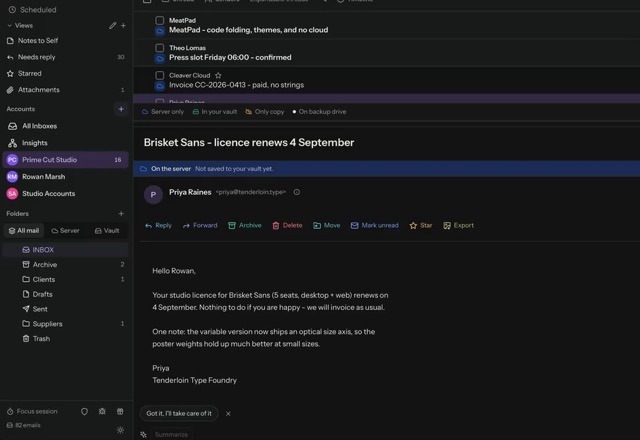
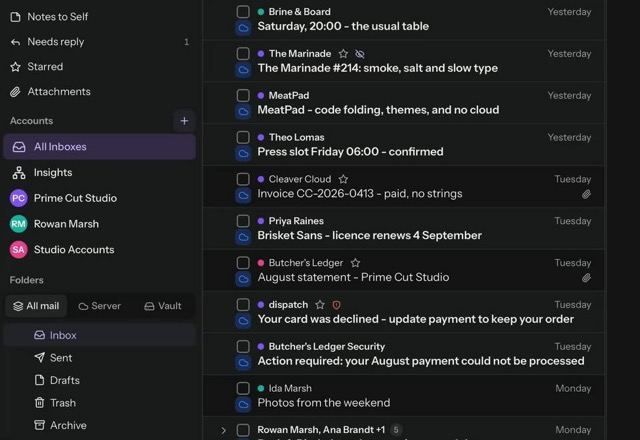
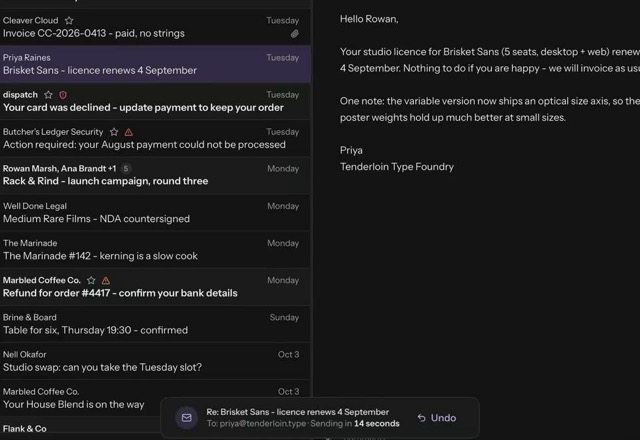
Every account.
One calm window.
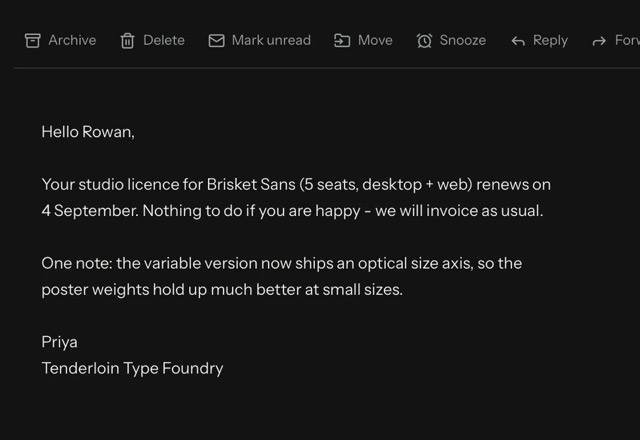
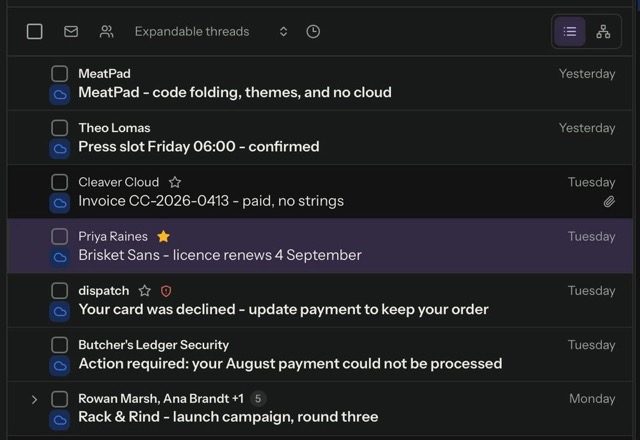
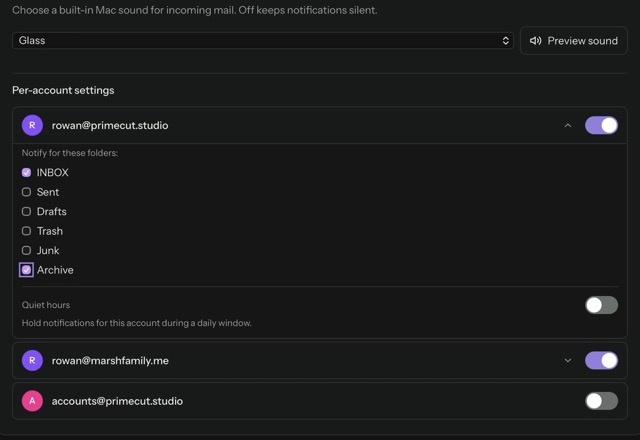
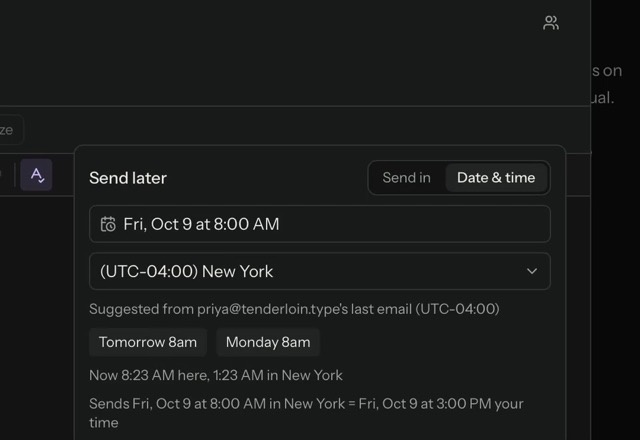
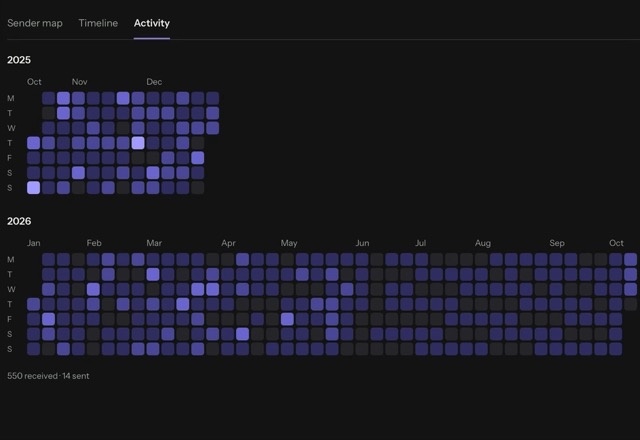
All your accounts in one list. Take back a reply, schedule one for later, and see your mail day by day.
Small things.
Every day.
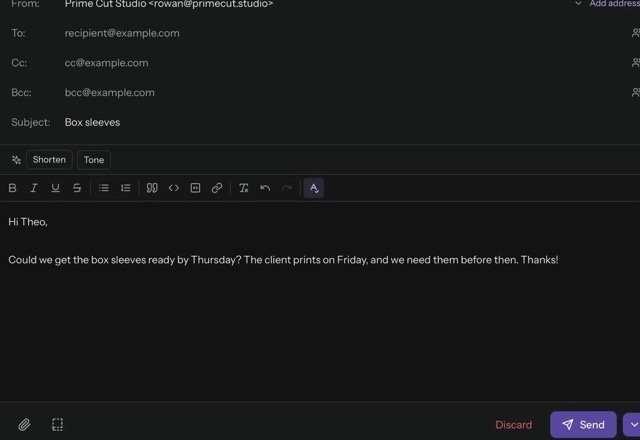
Templates, tags, a wheel of quick actions, snooze and focus sessions.

Built in Rust.
Light on your computer.
MailVault's core and its background helper are written in Rust. Sync, backups and search indexing run in that helper, a separate process, each job on its own thread, so the window stays responsive while they run. The window uses your system's own web engine instead of shipping a whole browser.
How the native app works →- Core
- Rust
- App shell
- Tauri
- Web engine
- WebKit on macOS and Linux, Microsoft WebView2 on Windows
- Bundled browser
- None
- Search index
- SQLite full-text, on your computer
- Startup
- Under a second
- Search
- 50,000 messages searched in under 15 ms in our test
- Long lists
- Comfortable past 17,000 messages
Under the hood
Plain files.
Your disk.
Every message you keep is a standard .eml file in Maildir-style folders, in a folder you choose. Other mail apps open them too, so your archive outlives any app, this one included. The search index and your passwords stay on the same computer.
How the vault works →- Storage
- Plain .eml files, Maildir-style
- Search index
- On your computer
- Passwords
- macOS Keychain, Windows Credential Manager, Linux Secret Service
- Account
- None
- Platforms
- macOS, Windows, Linux
How MailVault compares.
Honestly.
Five email apps side by side. Select a feature to see how it works in MailVault.
| Feature |  MailVault MailVault |  Thunderbird Thunderbird |  Apple Mail Apple Mail |  Outlooknew, Windows Outlooknew, Windows |  Notion Mailshut down 22 Sep 2026 ↗ Notion Mailshut down 22 Sep 2026 ↗ |
|---|---|---|---|---|---|
| Privacy and ownership | |||||
| Free, no ads | MailVault: Yes | Thunderbird: Yes | Apple Mail: Yes | Outlook: Ads without Microsoft 365 | Notion Mail: Discontinued |
| Mail skips the maker's cloud | MailVault: Yes | Thunderbird: Yes | Apple Mail: Yes, except iCloud | Outlook: No, IMAP mail syncs via Microsoft Cloud | Notion Mail: No |
| Full copy on your computer | MailVault: Yes | Thunderbird: Yes | Apple Mail: Yes | Outlook: Recent mail only | Notion Mail: No |
| Keep mail after deleting it from the server | MailVault: Yes, each copy verified (one-step bulk is Premium) | Thunderbird: Manual, Local Folders | Apple Mail: Manual, On My Mac | Outlook: Limited, PST files | Notion Mail: No |
| Open file format | MailVault: .eml, one file per email | Thunderbird: mbox | Apple Mail: .emlx, Apple only | Outlook: PST, proprietary | Notion Mail: None |
| Maildir folders | MailVault: Yes, readable by other Maildir tools | Thunderbird: Optional, mbox by default | Apple Mail: No | Outlook: No | Notion Mail: No |
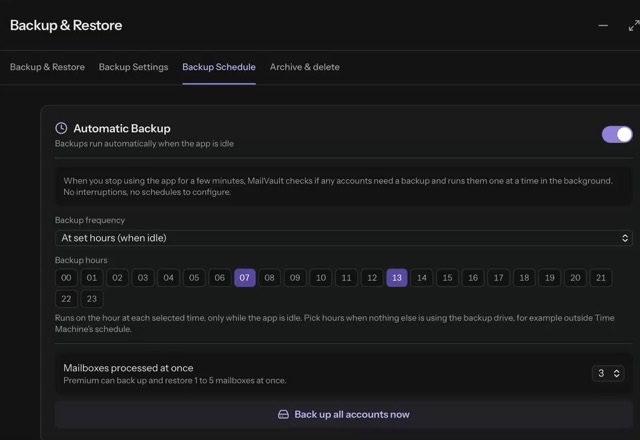
| Scheduled local backups | MailVault: Premium | Thunderbird: No | Apple Mail: No, Time Machine only | Outlook: No | Notion Mail: No |
| Safety | |||||
| Tracking pixels | MailVault: Flagged free, removed in Premium | Thunderbird: Remote content blocked | Apple Mail: Mail Privacy Protection | Outlook: Images blocked | Notion Mail: Images proxied |
| Sender verification shown | MailVault: SPF, DKIM, DMARC | Thunderbird: No | Apple Mail: No | Outlook: Unverified label | Notion Mail: Not documented |
| Suspicious link warnings | MailVault: Yes | Thunderbird: Scam banner | Apple Mail: Junk filter only | Outlook: Yes | Notion Mail: Not documented |
| Organize | |||||
| Custom saved views | MailVault: With your own fields. 3 free, unlimited in Premium | Thunderbird: Saved searches | Apple Mail: Smart Mailboxes | Outlook: Search Folders, preset criteria | Notion Mail: Custom views |
| Filter and group the list | MailVault: By sender, date or your own field | Thunderbird: Quick Filter | Apple Mail: Filter bar | Outlook: Filters, sort and group | Notion Mail: Filter and group |
| Tags on any message | MailVault: Any provider, kept on your computer | Thunderbird: Tags | Apple Mail: Coloured flags | Outlook: Categories | Notion Mail: Labels |
| Rules that sort new mail | MailVault: Written in plain words, answered on your computer | Thunderbird: Message filters | Apple Mail: Rules | Outlook: Rules | Notion Mail: AI labels, paid |
| Search a 50,000 message mailbox | MailVault: Under 15 ms, in our test | Thunderbird: Indexing slows, open bug since 2010 ↗ | Apple Mail: Not tested | Outlook: Not tested | Notion Mail: Discontinued |
| Unified inbox | MailVault: Yes | Thunderbird: Yes | Apple Mail: Yes | Outlook: Per account | Notion Mail: No |
| Ways to customize | MailVault: Views, layouts, shortcuts, toolbar | Thunderbird: Themes and add-ons | Apple Mail: Minimal | Outlook: Add-ins | Notion Mail: Custom views |
| AI and writing | |||||
| AI writing help | MailVault: Free | Thunderbird: Add-on only | Apple Mail: Apple Intelligence, newer Macs | Outlook: Copilot, paid | Notion Mail: Notion AI, paid |
| AI thread summaries | MailVault: Free | Thunderbird: Add-on only | Apple Mail: Apple Intelligence, newer Macs | Outlook: Copilot, paid | Notion Mail: Notion AI, paid |
| AI runs on your computer | MailVault: Yes, unless you add your own model | Thunderbird: No built-in AI | Apple Mail: On device, some in Private Cloud Compute | Outlook: Microsoft cloud | Notion Mail: Notion cloud |
| Templates and snippets | MailVault: Templates | Thunderbird: Add-on only | Apple Mail: No | Outlook: My Templates | Notion Mail: Snippets |
| Scheduled send | MailVault: Premium. Delays up to 5 minutes free | Thunderbird: Add-on only | Apple Mail: Yes | Outlook: Yes | Notion Mail: Yes |
| Snooze and reminders | MailVault: Snooze | Thunderbird: Add-on only | Apple Mail: Remind Me | Outlook: Snooze | Notion Mail: Reminders |
| Platforms and support | |||||
| Bug reports | MailVault: Fixed in hours, in public ↗ | Thunderbird: About 4,200 open defects filed over 10 years ago ↗ | Apple Mail: No public tracker | Outlook: No public tracker | Notion Mail: Discontinued |
| Runs on | MailVault: macOS, Windows, Linux | Thunderbird: Windows, macOS, Linux, Android | Apple Mail: Apple devices | Outlook: Windows, macOS, web, mobile | Notion Mail: None |
Checked September 2026 against each maker's documentation. Sources
- Outlook: syncing accounts to the Microsoft Cloud
- Outlook: ads in Outlook
- Thunderbird: open defect reports filed before 24 Sep 2016 (Mozilla Bugzilla, counted 24 Sep 2026)
- Thunderbird: global indexing slows on large mailboxes (Bugzilla 585429)
- MailVault: searching 50,000 emails in milliseconds, test method and numbers
- Thunderbird: Maildir storage
- Thunderbird: remote content in messages
- Thunderbird: scam detection
- Apple Mail: Mail Privacy Protection
- Apple Mail: Smart Mailboxes
- Apple Mail: Apple Intelligence in Mail
- Outlook: Copilot in Outlook
- Outlook: rules
- Thunderbird: saved searches
- Thunderbird: Send Later add-on
- Notion Mail: views, groups and filters
- Notion Mail: Notion AI
- Notion Mail: shutdown notice
Real people.
Real feedback.
- 2 h 45 minfrom a public bug report to the published release that fixed it, 10 Sep 2026
- 3 h 14 minfrom report to published fix for a search bug, 25 Aug 2026
- 13 releasesin 31 days, 21 Aug to 20 Sep 2026
“All the errors have been verified and fixed, and the backup checks are showing 100%, with all the numbers matching.”
 bson73On checking a full mailbox backupGitHub DiscussionsRead the original comment ↗
“Firstly, thank you so much for writing MailVault.”
 jaimetOn setting up MailVault on DebianLinux user · GitHub IssuesRead the original issue ↗
“I've even added a second Gmail account and everything worked as expected.”
“[MailVault] moved all my large data folders as promised.”
 artiste212On moving a 43,000 message Gmail archive to an external driveGitHub DiscussionsRead the original comment ↗
“The program is actually much better than I expected. A search window for the "Move to Folder" function is something I've been missing for years!”
bson73On searching folders when moving mailGitHub DiscussionsRead the original comment ↗“I've tried Evolution, Mailspring, Thunderbird and others. None of them felt like an Outlook replacement for one reason or another.”
“I like the "test/verify" step option. That actually saves me a step.”
“Upfront: I'm genuinely impressed with how the app is shaping up – really great work!”
bson73While requesting nested folders, shipped in under two daysGitHub DiscussionsRead the original comment ↗“Thank you so much for the super-fast reply. I'm blown away!”
bson73On a same-day support replyGitHub DiscussionsRead the original comment ↗“thank you for the exceptionally good service and support.”
bson73On support after an inbox issueGitHub DiscussionsRead the original comment ↗“It's about time that we have a modern Mail Client on Linux systems that didn't have some caveat.”
Selected excerpts. Read the full discussion, including reports and replies ↗
Take your email back.
It's free.
Sent. Check your inbox on your computer.
Open it on your Mac, Windows or Linux computer.
Early Bird & Family Pricing: Premium $25/year Standard price after early access: $39/year 36% off
macOS 11+ · Windows 10+ · Ubuntu 22.04+ / Debian 12+
Looking for a MailStore alternative?
Start with our MailStore alternative for Mac guide, compare MailVault vs MailStore Home, or read the MailStore alternatives comparison.